
Using the developer dashboard
Fifteen short walkthroughs of the panel itself — every screen you click through to get a key, make a call work, and put your brand on your own domain. Each one answers a single question and shows you the actual screen.
The API documentation covers endpoints, parameters and payloads. These pages cover the other half: where things live in the dashboard, what each button does, and what you should expect to see after you press it.
Get set up
The three screens every integration starts from, whichever path you take.
Hosted embed
For the hosted checkout, where OroPocket renders the whole buy and sell flow.
- Test a hosted embedIssue a user_code and drive the real embed in the Playground's phone preview.5 min
- Open the embed on a screenLand users on the buy sheet with your amount filled in — or SIP, sell, rewards or spin.4 min
- See users and transactionsFind a customer by user_code and read their trades across every channel.4 min
Raw API
For a server-to-server integration where you build the interface yourself.
- Make your first API callFire a real request from the dashboard and copy it out as curl.4 min
- Run a test buyRegister a user, quote a buy, confirm it, and check the portfolio.6 min
- Debug with request logsFind the call that failed, read its error code, and quote a request id.4 min
- Set up webhooksRegister an endpoint, send a test event, and replay a failed delivery.6 min
Whitelabel
For running OroPocket on your own domain, under your own brand.
- Connect your domainPoint a subdomain at us with a CNAME and pass the DNS check.5 min
- Add your brandUpload a wordmark, a logo and the square app icon your users install.4 min
- Edit your sign-in pageWrite the heading, sub-heading and trust line your customers read first.4 min
- Submit for reviewWhat review checks, and why approved is not the same as live.4 min
Team
Bringing colleagues in, and deciding what each of them can open.
Money
What you earn, what you owe, and the spread you can charge on top.
Common questions
- Do I need to be approved before I can follow these tutorials?
- No. Everything in the Get set up, Hosted embed and Raw API sections works in Test mode with a sandbox key, which you get the moment you sign up. Test mode uses live gold and silver prices but simulates settlement, so no real money moves. Production access is a separate, free application.
- Where do I find my API key in the dashboard?
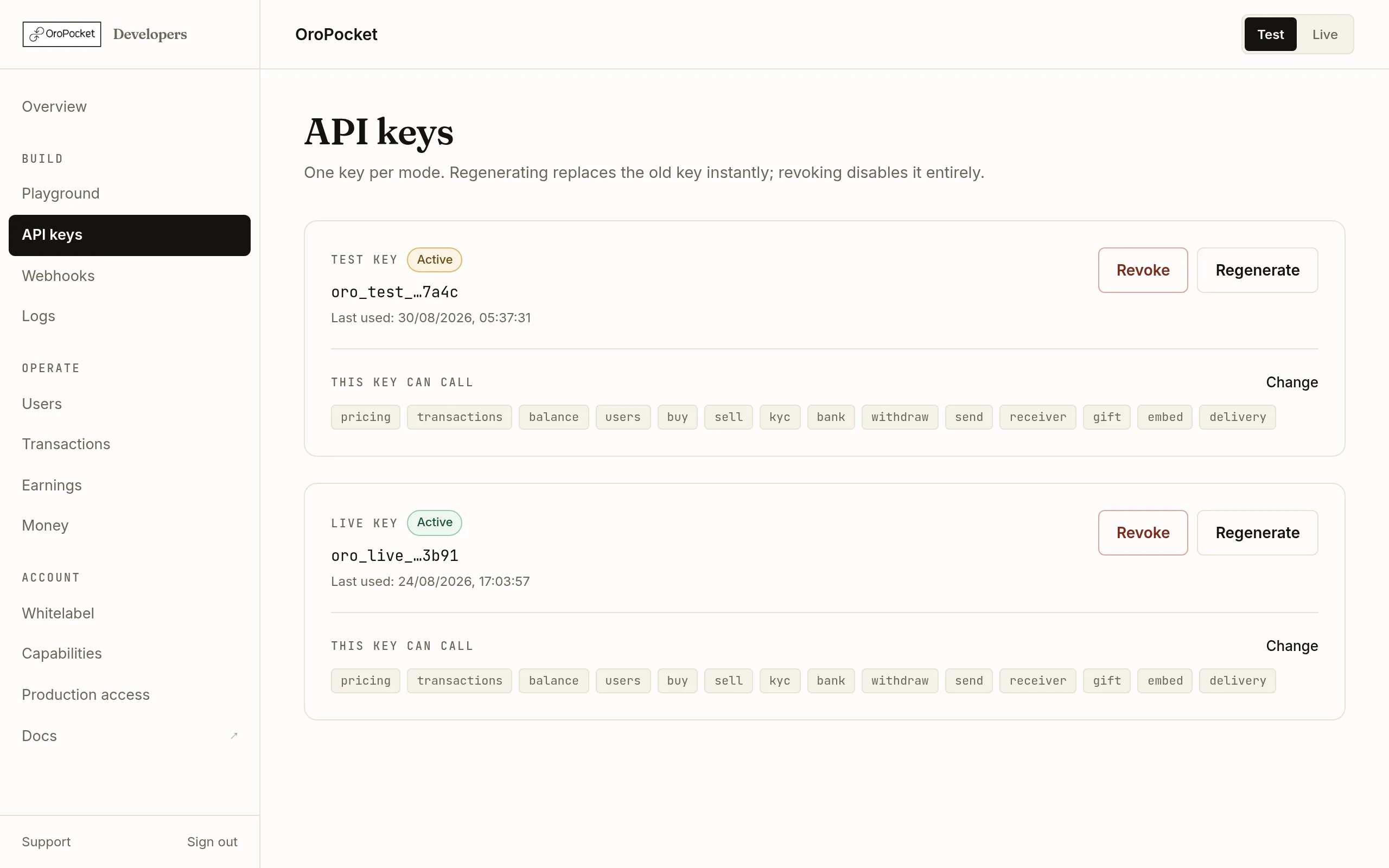
- Under API keys in the Build section of the sidebar. There is one key per mode — one Test key and one Live key. A key is shown in full exactly once, when it is issued; afterwards the dashboard only shows the last four characters.
- Why does my API call return 403 API_NOT_ALLOWED?
- Your key does not carry the capability that endpoint requires. Capabilities are set on the Capabilities page in the dashboard, where you pick what you are building and we enable exactly the APIs it needs. Turning a capability off takes effect immediately.
- Can I test the hosted embed without building an app first?
- Yes. The Playground has an Embed tab that issues a user_code and loads the real hosted checkout in a phone-sized preview inside the dashboard, so you can drive the whole flow before you write any WebView code. In Test mode the embed OTP is always 1234.
- What is the difference between these tutorials and the API docs?
- The docs describe the API — endpoints, parameters, payloads. These tutorials describe the dashboard: the screens you click through to get a key, test a call, read your logs, configure a white-label domain and see what you have earned.