
Read a statement of account
Two different things in the panel are called statements, and mixing them up is the usual source of confusion. This is the billing one — what you owe us. The other is settlements, which is what we owe you.
Opening one
Statements are listed on Money, on the Billing account tab. Click one to open it. They exist only for postpaid accounts — a prepaid account debits a balance as it goes and has nothing to bill later — and only in Live mode.
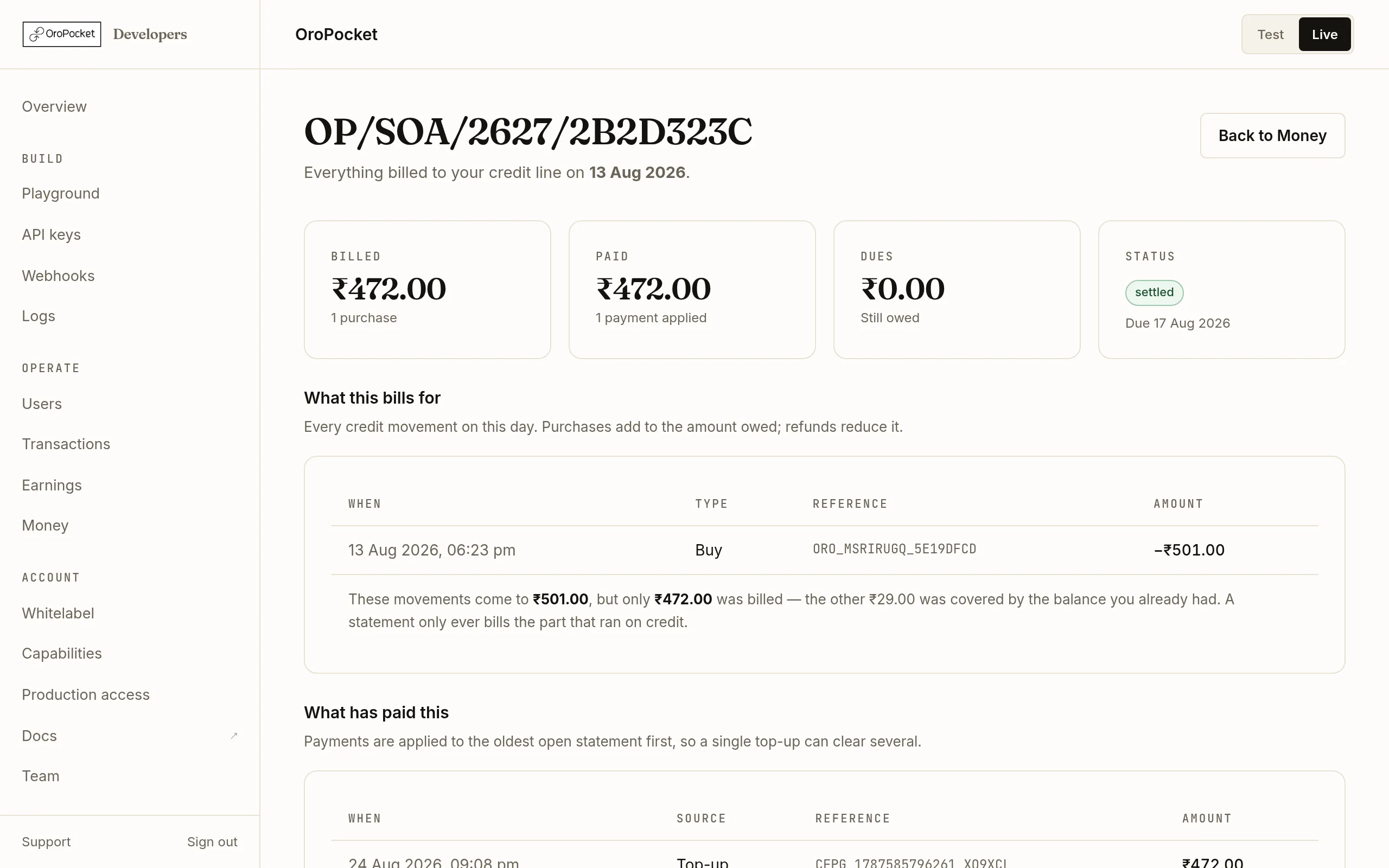
| Card | Means |
|---|---|
| Billed | What ran on credit that day, and how many purchases made it up. |
| Paid | How much has been applied against this statement so far. |
| Dues | What is still owed on it. Zero means it is done. |
| Status | settled, open or overdue, with the date it is due. Settlement terms are shown on the Money page. |
Read what it bills for
What this bills for lists every credit movement on that day — purchases add to what you owe, refunds reduce it. Each row carries a reference you can match against your own records.
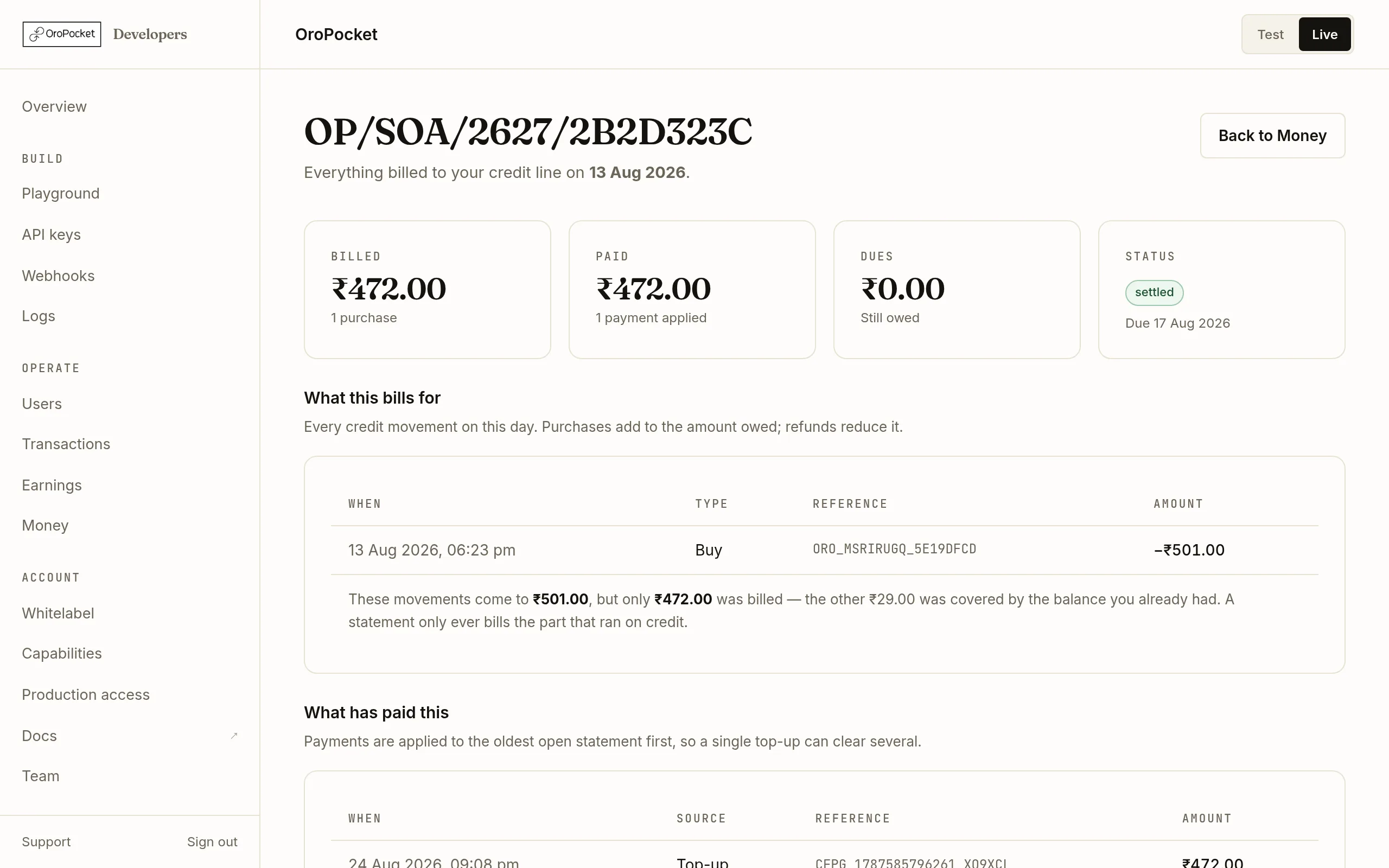
The note under the table is the answer to the most common question about statements. Billed is often less than what you spent. If you had a balance sitting in the account, purchases draw that down first and only the remainder runs on credit — a statement bills the credit part alone. The panel spells the arithmetic out under the table rather than leaving you to reconcile two numbers that were never meant to match.Read what has paid it
What has paid this lists the payments applied, with their source and reference. A top-up you made against one statement can appear against another: payments go to the oldest open statement first, so a single transfer can clear several.
Check when the next one lands
Statements are generated daily at 04:30 IST, covering the previous IST day. So a purchase made this afternoon appears on tomorrow morning’s statement, not immediately — the Money page tells you when the next run is.
The other statements: your settlements
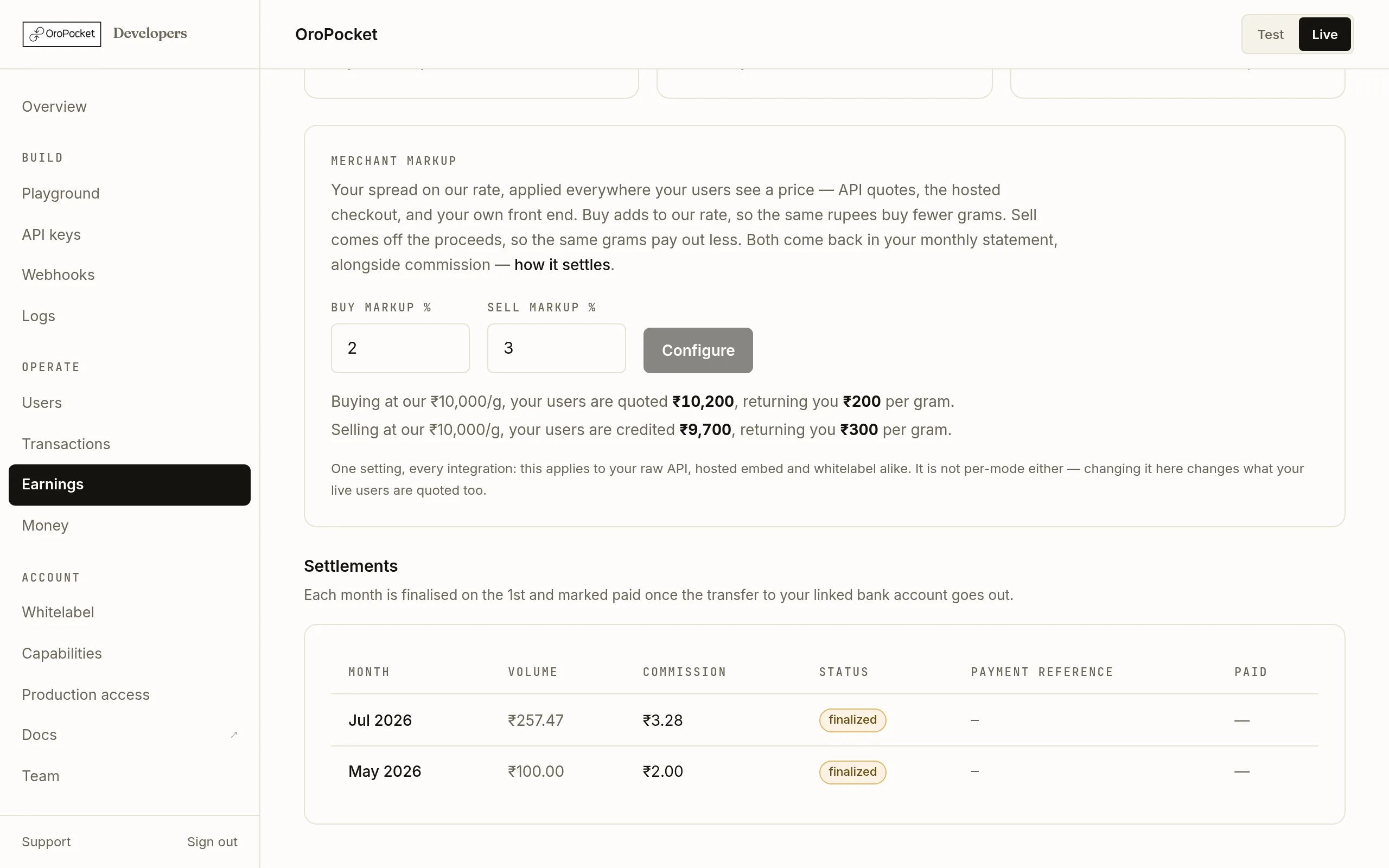
On Earnings there is a second table, also called settlements. That is commission owed to you: each month is finalised on the 1st and marked paid once the transfer to your linked bank account goes out.
If a statement goes overdue
An overdue statement shows on the Money page as a banner, and an Overdue flag on the billing account card, rather than only inside the statement, and once your credit line is exhausted new buys start failing at quote time with 402 INSUFFICIENT_PARTNER_FUNDS. Clearing it is the same flow as any top-up — Top up your billing account.