
Run a test buy from end to end
Four calls take you from nothing to gold in a user's portfolio. Test mode is stateful — balances persist, the float is debited, and the same code works unchanged in Live.
Buys are two steps on purpose. You quote to lock a price for ten minutes, then confirm to execute it. The price your user sees and the price they get are the same number, and the gap between the two calls is yours to spend showing them a confirmation screen.
Register a user
In the Playground, open the Users & KYC tab and send the registration preset. Trusted server-to-server registration returns a persistent
user_codeyou replay on every later call.POST/partner/users/initusersBody{ "flow": "api", "mobile": "9000000001" }Sandbox user codes are deterministic — the same mobile always maps to the sameuser_codefor your partner account. That makes test fixtures reproducible, and it means re-running this call is harmless.Lock a quote
Switch to the Trade tab and send the buy quote. The
user_codefrom the previous step is already filled in.POST/partner/buy/quotebuy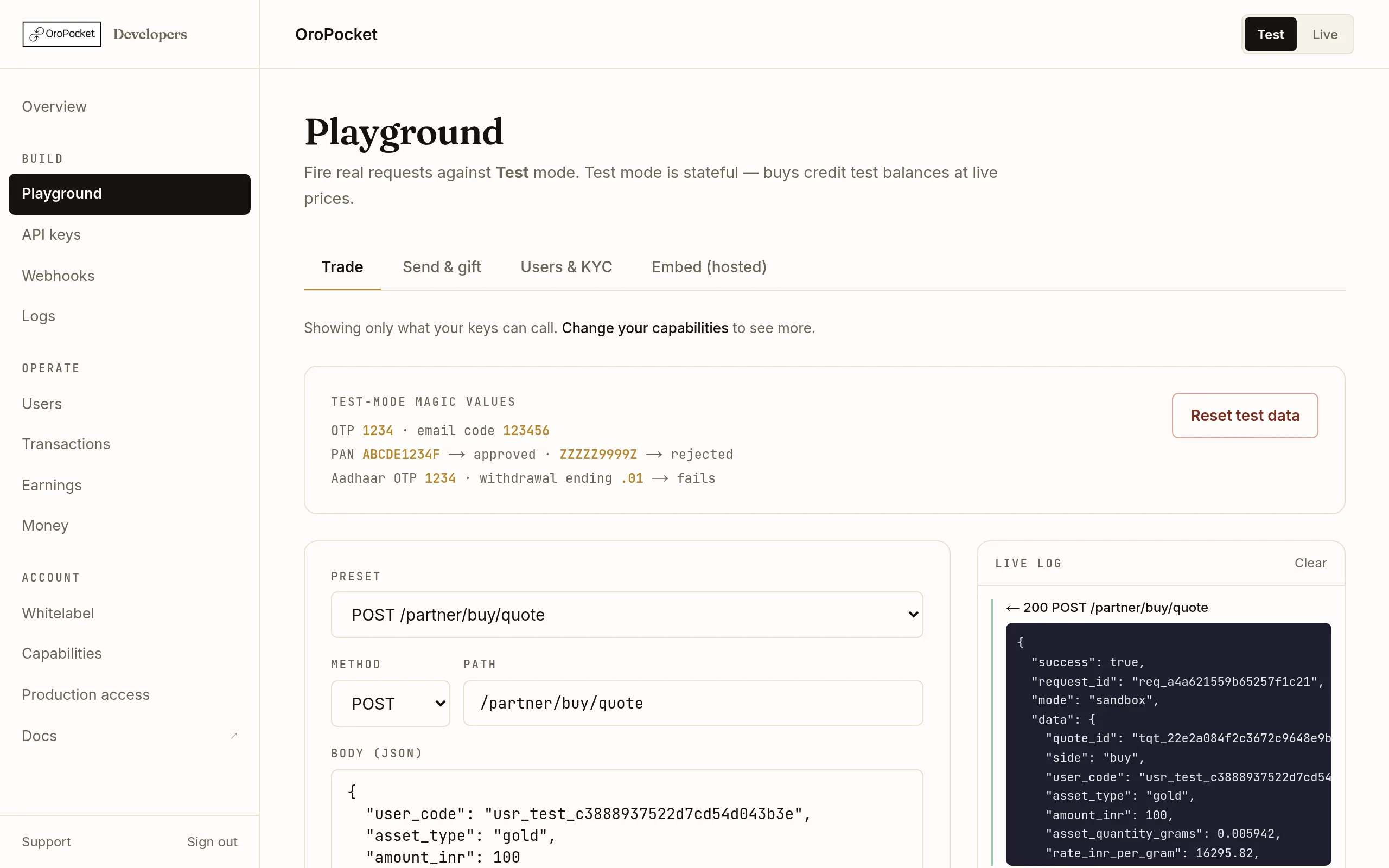
The response carries the grams, the rate, the full fee breakdown and how long the quote is good for. Read the
breakdownobject rather than doing the arithmetic yourself: a 0.25% platform fee comes off first, then 3% GST is carved out, and what remains is what actually buys metal.Wallet problems surface here, not at confirmation. A402 INSUFFICIENT_PARTNER_FUNDSat quote time means your billing account is short — see Top up your billing account.Confirm it
Send the confirmation with the
quote_id. In Test mode settlement is simulated and the response is taggedsimulated: true; the shape is identical to Live.POST/partner/buy/confirmbuy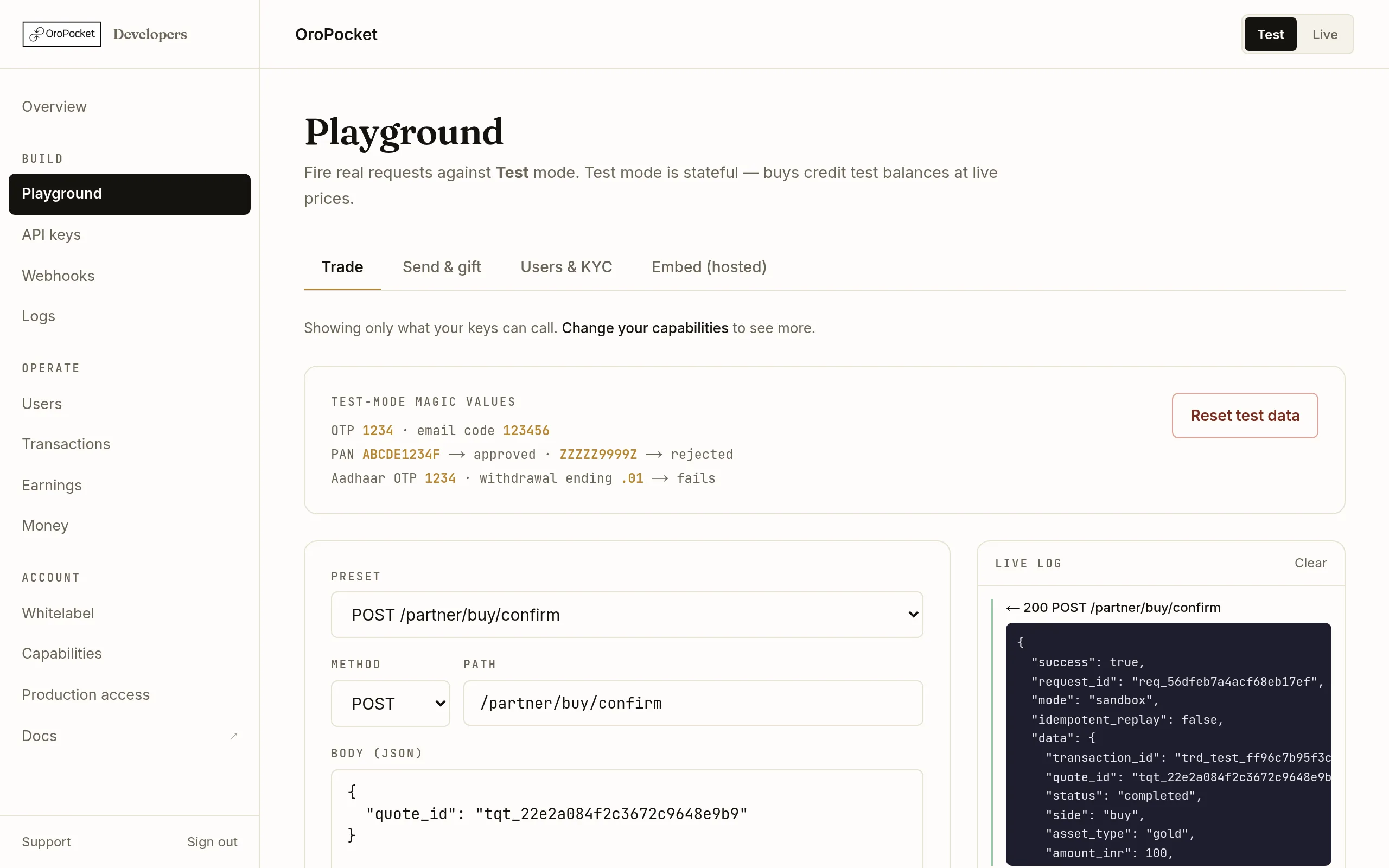
Confirmed. The grams are now in that user's balance and your float has been debited. Always send anIdempotency-Keyheader on confirmations in production. A replay returns the original response withidempotent_replay: trueinstead of buying twice — which is what you want when a network timeout leaves you unsure whether the first call landed.Check the portfolio
Read the balance back to confirm the metal arrived.
GET/partner/users/:user_code/portfoliobalanceThe same trade now also appears on the Transactions page labelled API, and in Logs.
Magic values for testing edge cases
Test mode has fixed inputs that force specific outcomes, listed on a card in the Playground itself so you never have to look them up.

| Value | Forces |
|---|---|
| 1234 | Any OTP — login, embed, gifting, Aadhaar. |
| 123456 | The email verification code. |
| ABCDE1234F | A PAN that verifies successfully. |
| ZZZZZ9999Z | A PAN that is rejected, so you can build the failure path. |
| an amount ending .01 | A withdrawal that fails and refunds. |
Starting over
Reset test data on the same card clears every test user, balance, trade and withdrawal and reseeds your float to ₹1,00,000. It cannot be undone, and it only ever touches sandbox — there is no equivalent for Live, by design.