
Make your first API call
The Playground sends real requests with your real key. Nothing is stubbed — the responses you see are the responses your server will get, which makes it the fastest way to learn the shape of an endpoint.
Open Playground from the Build section of the sidebar. The screen is a request builder on the left and a live log on the right.
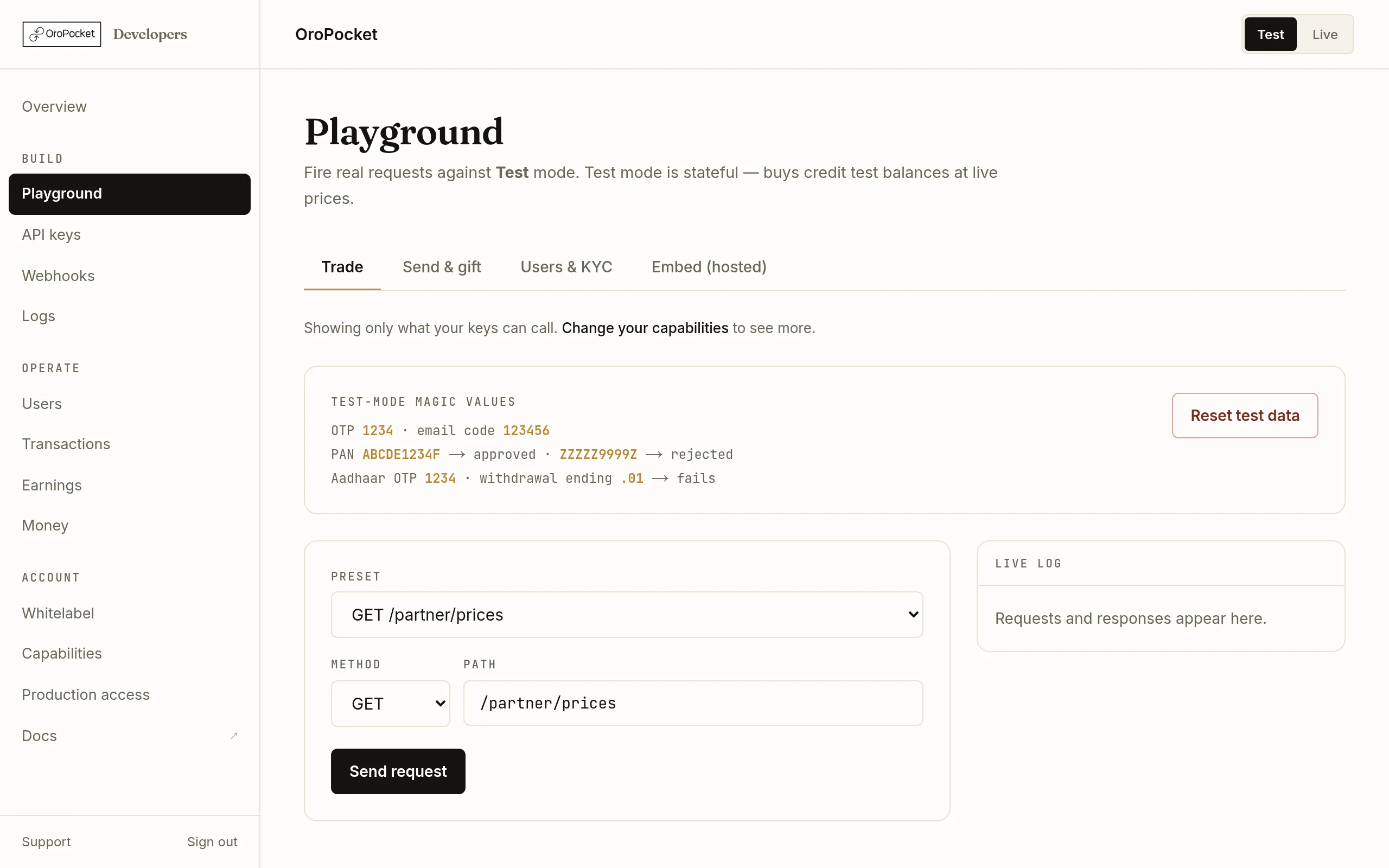
Pick a preset
The Preset dropdown fills in the method, path and a valid body. Start with the simplest thing on the API — current prices, which needs no user and no state:
GET/partner/pricespricingSend it
Press Send request. The response lands in the log on the right, pretty-printed, with the status colour-coded — grey for the outgoing request, green for a 2xx, red for anything else.
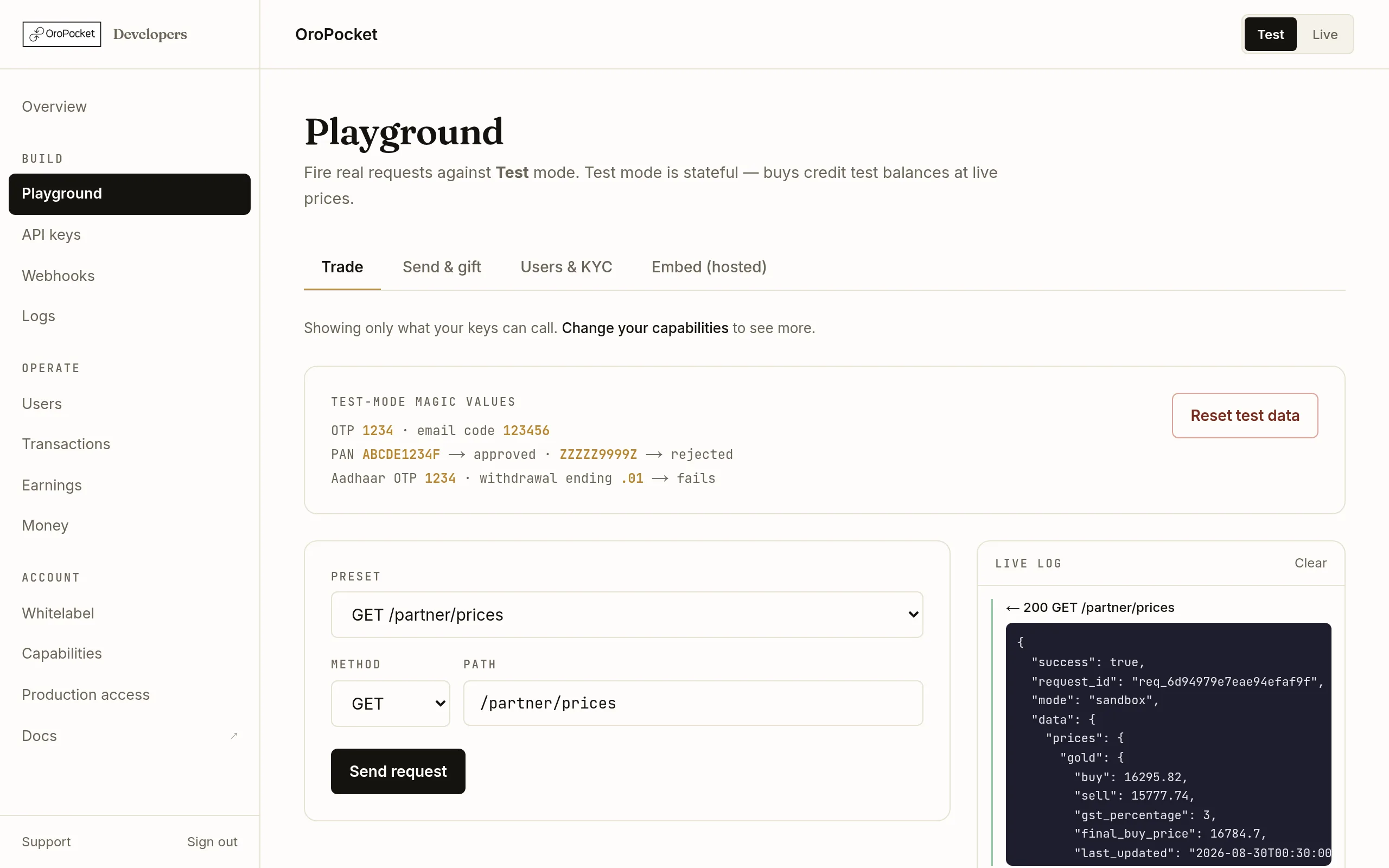
Live gold and silver rates in INR per gram, with GST and the final buy price broken out. Copy it as curl
Every log entry has a copy curl link. It produces the exact command, with your key already in the Authorization header — paste it into a terminal and you get the same response.
curl https://api.oropocket.com/partner/prices \
  -H "Authorization: Bearer oro_test_xxx"
How the tabs are organised
The Playground groups presets by what they need, and hides any group your keys cannot call:
Trade — prices, buy and sell quotes and confirmations, portfolios. Send & gift — checking a receiver, sending your own metal, user-to-user gifting. Users & KYC — registering users and reading their verification status. Embed (hosted) — the phone-preview tester covered in Test a hosted embed.
Chaining calls
Most useful calls need an id from a previous one — a buy confirmation needs a quote_id, a quote needs a user_code. The Playground carries those forward for you: run the earlier call and the later preset is filled in automatically. The strip beside the Send button shows what it is currently holding.
Two things worth knowing before you build
The response envelope differs by surface. Everything under /partner/ returns { success, request_id, mode, data }. Hold on to request_id — it is echoed in the X-Request-ID header and it is what support will ask you for.
Live mode has no undo. The Playground obeys the Test/Live toggle, and in Live these calls move real money and settle to real holdings. The page header says so, but it is worth checking the toggle before pressing Send.