
Connect your domain for white-label
White-label runs our app on your address, under your brand. It starts with one DNS record — and we cannot issue a certificate for a name that is not yet pointing at us, which is why the check comes before everything else.
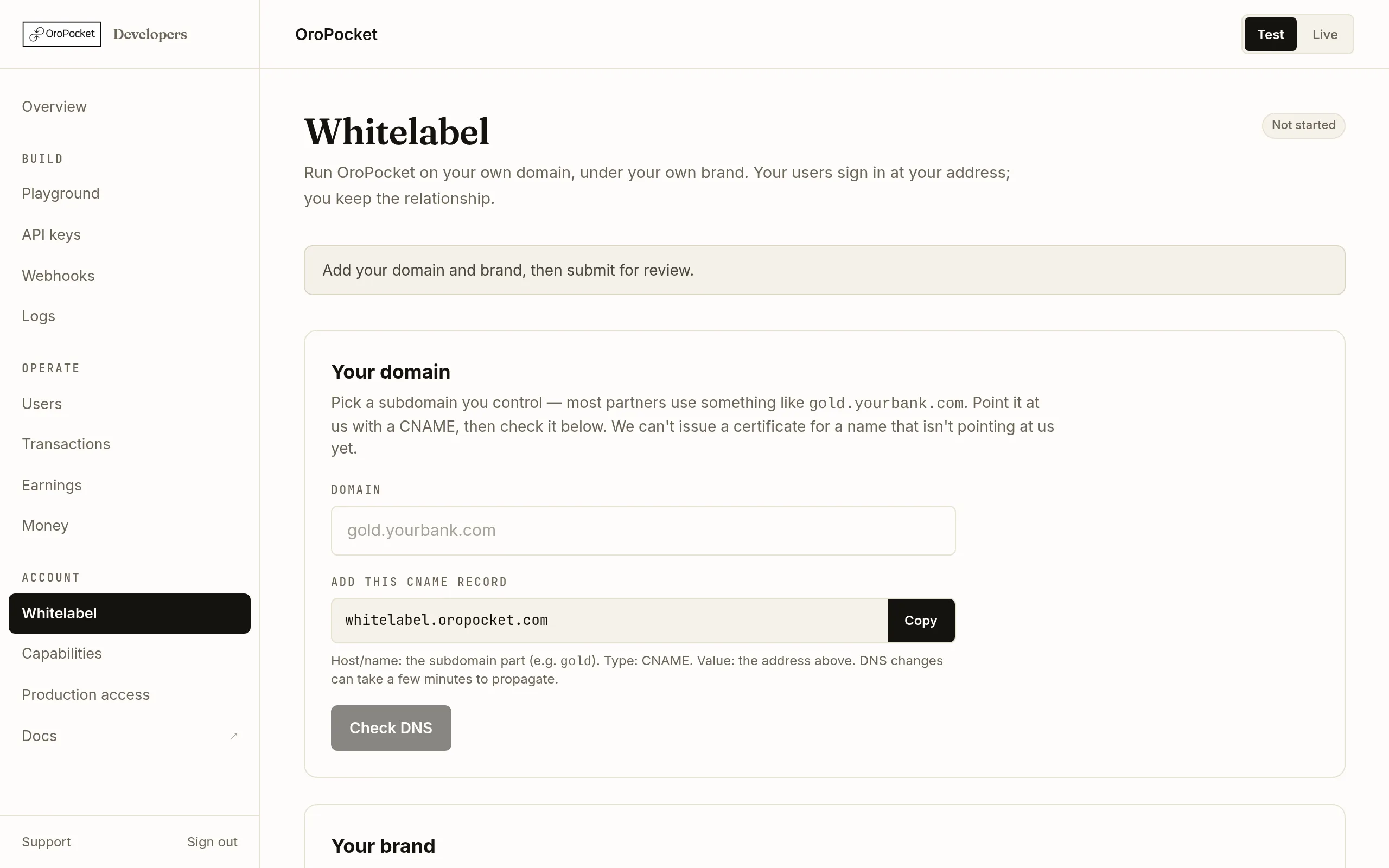
Choose a subdomain you control
Most partners use something like
gold.yourbank.com. It has to contain at least one dot, be ASCII (convert an internationalised name to punycode yourself), and not be a wildcard. One domain per partner.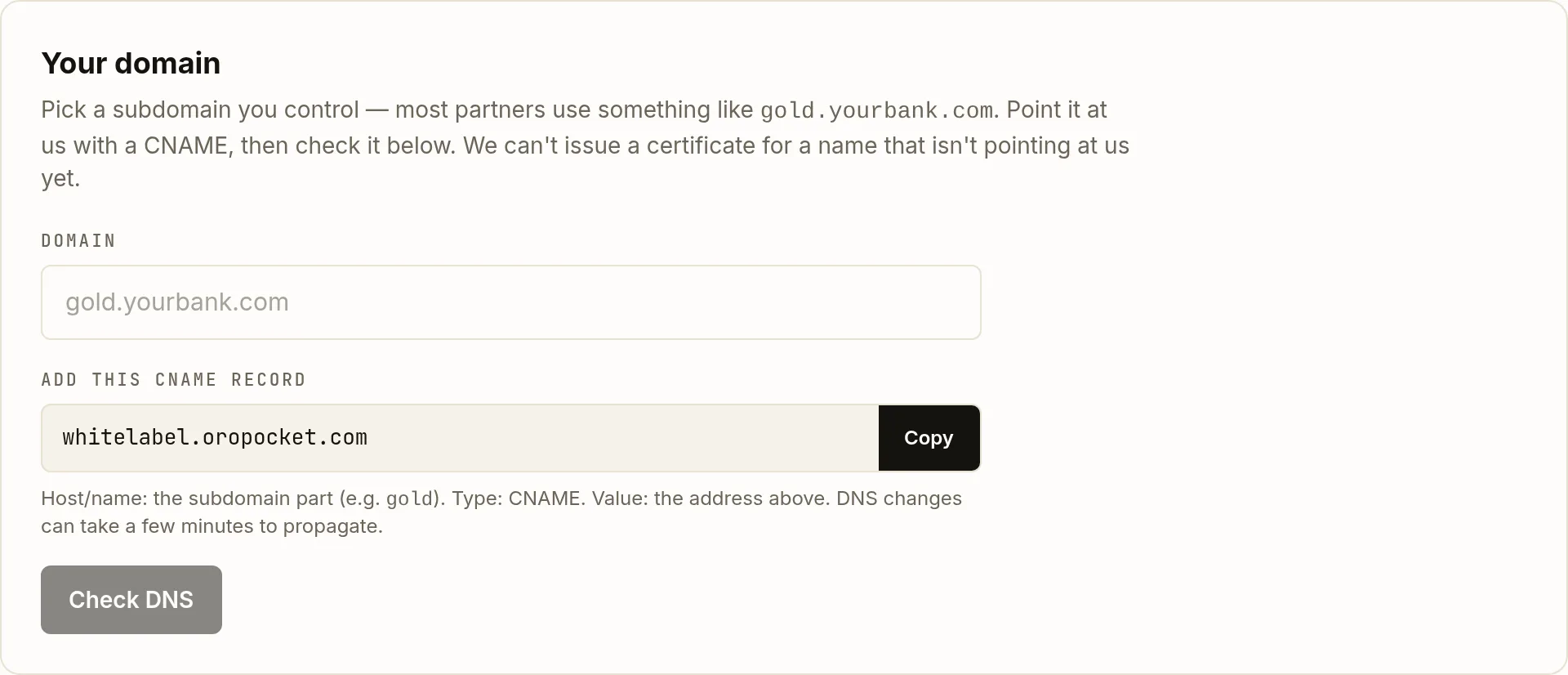
The CNAME target is copyable — paste it straight into your DNS provider. Create the CNAME record
In your DNS provider, add a record pointing the subdomain at the target shown in the card:
gold.yourbank.com. CNAME whitelabel.oropocket.com.The host is just the subdomain part —
gold— in most providers’ interfaces, not the full name.Pointing at a name we control rather than an IP address is deliberate: it means we can move infrastructure without every partner having to edit DNS again.Run the DNS check
Type the domain into the field and press Check DNS. Until the record has propagated you will see exactly this — which is normal, not a misconfiguration:
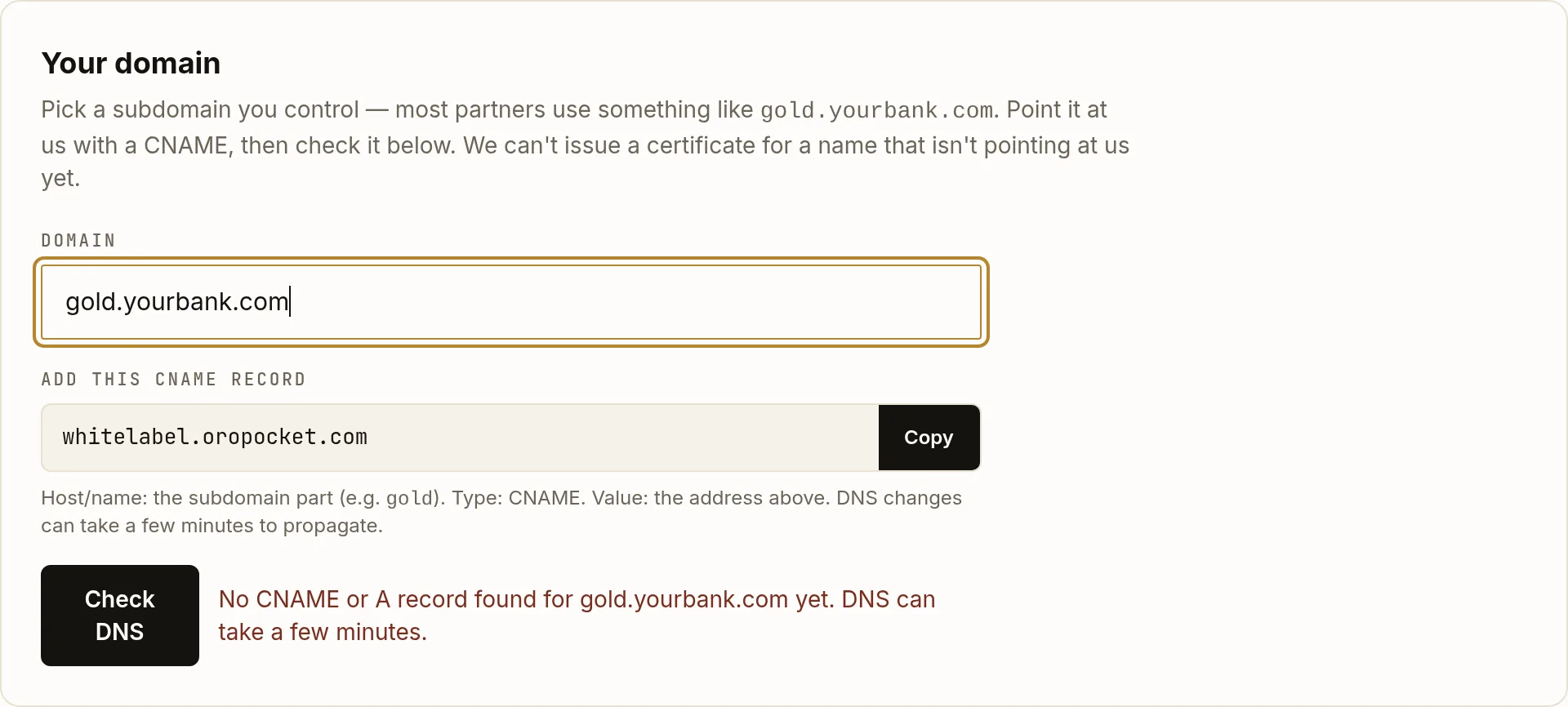
Before propagation. Wait a few minutes and check again — the button is rate-limited to ten checks a minute. When it resolves, the message turns green and reads Pointing at us. You may also see “Pointing at us (flattened record — that’s fine)”: Cloudflare and Route 53 flatten a CNAME at the zone apex into A records, and we accept those rather than telling you your correct configuration is wrong.
What the check will refuse
| Reason | What to do |
|---|---|
| NOT_POINTED | No CNAME or A record found at all. Either the record has not propagated yet, or it was created on the wrong host. |
| POINTS_ELSEWHERE | The name resolves, but not to us. Check for an existing record on that host — a parked page or an old redirect is the usual culprit. |
| HOST_TAKEN | Another partner already has this domain. One domain per partner. |
| A reserved name | oropocket.com, oropocket.in, localhost and bare IP addresses are not accepted. |
Your account does not have to be live yet
You can configure all of this before production access is approved — the page says so at the bottom. What you cannot do is go live on the domain until it is. The two approvals are separate and can proceed in parallel.